
To make AI video look real, make it worse
Our best night shot was turned down in a single line: "still super AI, too high quality, face not dark/blurry enough." We had given it a lamp in view, hard falloff, two colours of light and named grain. On paper it beat every earlier try. On screen it looked more fake, because a phone filming a dark room at night does not make a lovely picture. It makes mush.
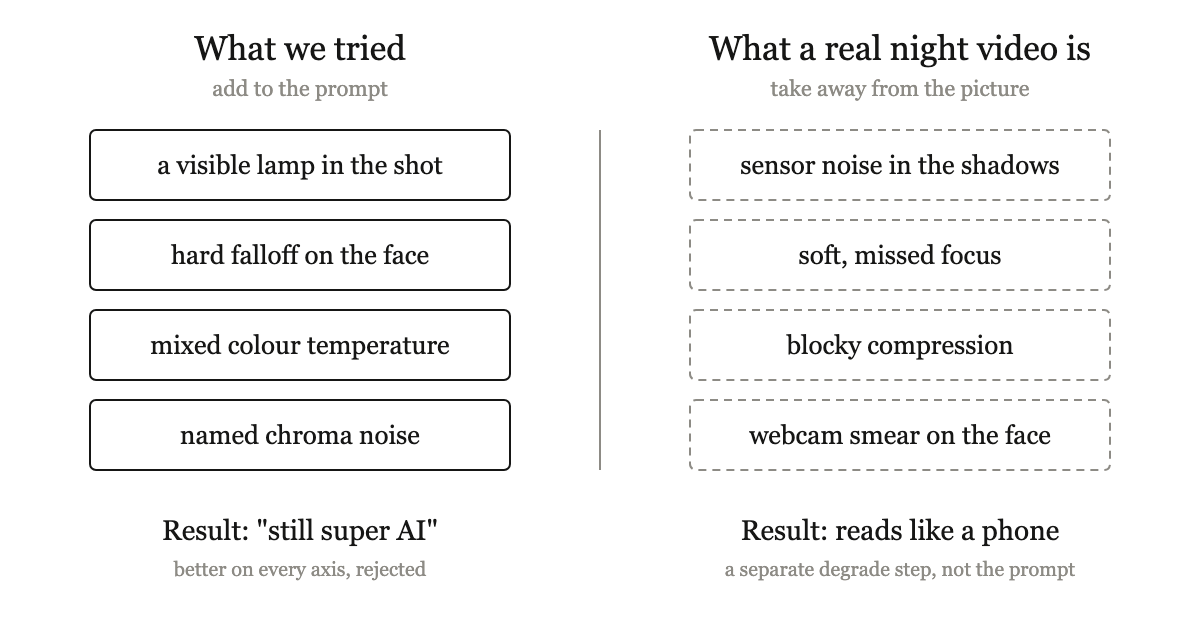
More craft in the prompt made it worse. A real night clip is defined by what it lacks.
That note holds the main lesson from building realistic AI creators for brands. Realism comes from naming what a cheap camera really puts on screen, then letting the picture get worse. And a realistic AI creator is a craft tool, never a mask. Where a platform or a law asks for a label, you add one.
Why does AI video look fake even when it looks good?
Because it is too clean. Models learn to please, so by default they hand you even light, crisp focus, smooth skin and perfect exposure. Real phone footage is noisy in the shadows, its focus hunts, compression leaves blocks, and the face is a bit soft. Polish is the giveaway.
We read 81 transcripts from short videos about realistic AI clones from September and October 2026. The top tip: never ask for "realistic." Write the flaws in, like pores, oil on the nose and a camera hunting for focus.
This has a name. In 1970 Masahiro Mori described the uncanny valley: we like a robot more as it looks more human, until it gets very close and our liking falls off a cliff. His example was a prosthetic hand that passes at a glance, until "we could be startled during a handshake by its limp boneless grip together with its texture and coldness."
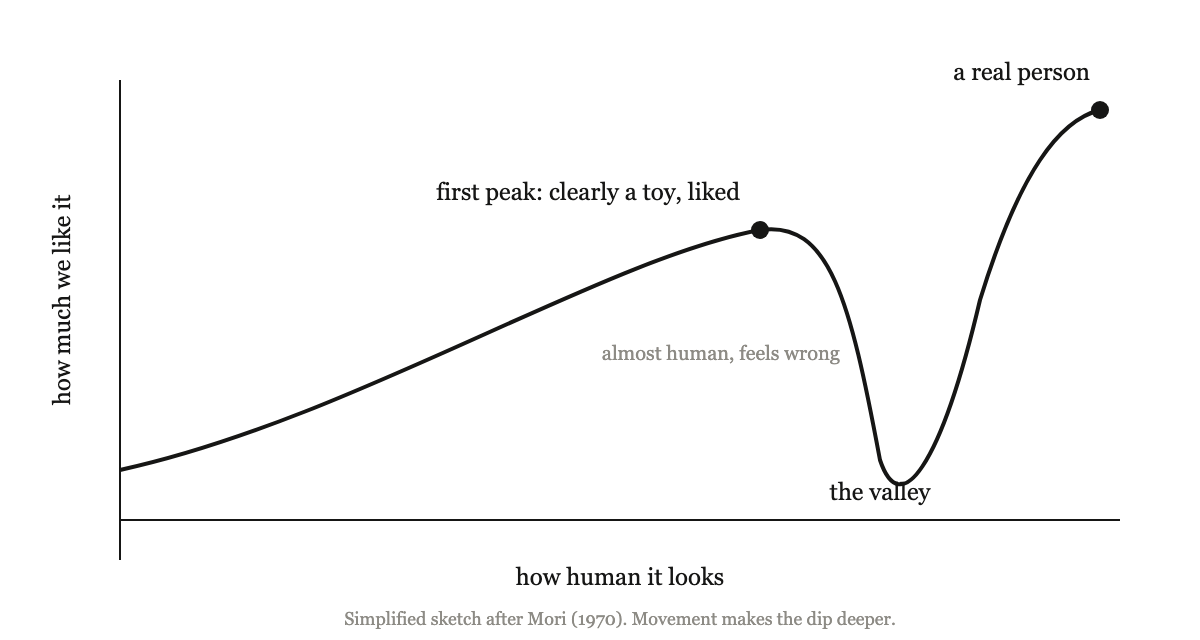
A rough sketch after Mori's essay. Most AI creators sit in the dip.
Aha: Mori's cold hand and our rejected night shot are the same failure.
Our frame passed every check we ran on purpose and flunked the one viewers run without thinking: did this come off a phone? So the fix was never in the prompt. In our pipeline a separate degrade step runs once the model is done. For video, our default preset shrinks the clip to 540 pixels tall, adds noise that changes every frame and starves the bitrate.
How do you write a realistic AI creator prompt?
Swap feelings for things a model can draw and check. One character took 8 rounds and 24 images, and for four of those rounds the angle words missed. Naming what that angle shows (nostrils, the underside of the jaw, a strip of ceiling) landed on the next round. OpenAI's Sora 2 guide says the same: "Verbs and nouns that point to visible results will always give you a clearer, more consistent output."
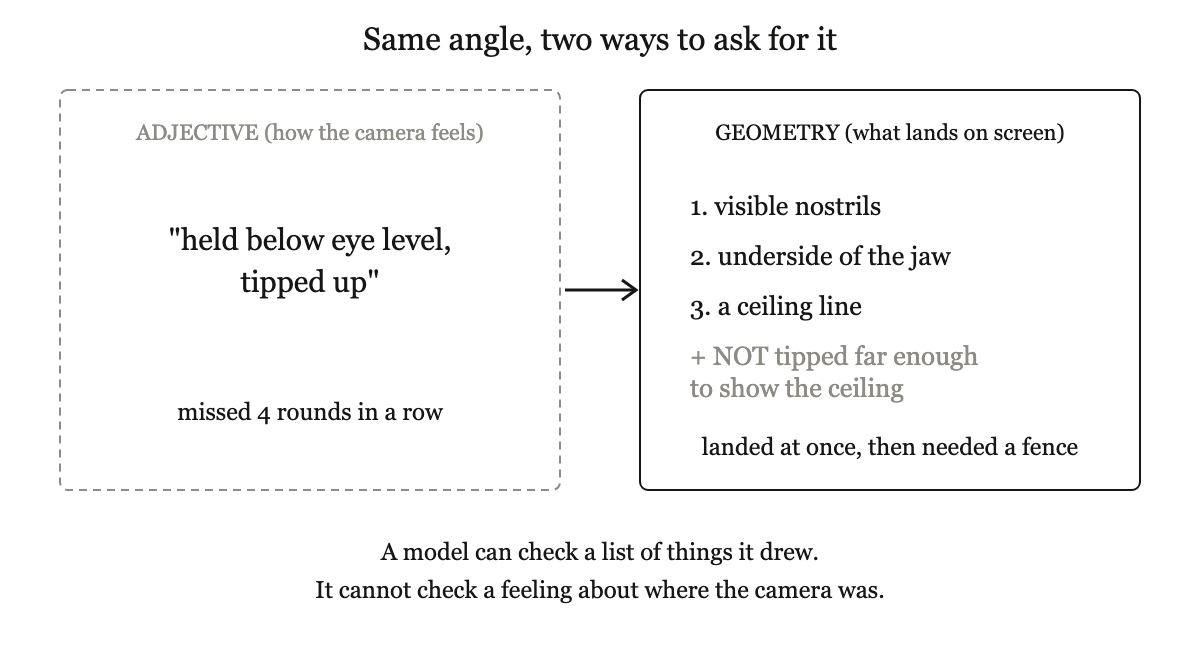
The angle only worked once we listed what it puts in the frame.
Here is the short version of our flow for one phone selfie shot:
- Start from a real phone photo. Borrow the scene, light and camera feel. If it shows a real person, never borrow the face: cast a new, distinct person.
- List the place in plain nouns. A kettle and a dish rack do more than any mood word.
- Set framing with numbers. Ours: "face cheekbone-to-cheekbone spans 60% of frame width, eyes at 40% of frame height, chin at 82%." Words drift between rounds. Numbers hold.
- Set the angle by what it shows, then fence it. Add a NOT after a visible target, like "NOT tipped far enough to show more ceiling than a thin strip." A bare NOT just plants the thing you banned.
- Check, degrade, label. Tick off your own list, make the clip worse in a separate step, and switch on the AI label at upload.
To test your own wording, paste a prompt into the box below and it flags vague camera and lighting words, with a visible swap for each, plus framing numbers you can copy.
Aha: realism is mostly borrowed, not written. The night shot needed a phone's damage. The angle needed what a phone at chest height really sees. The most believable parts were taken from the real world.
I build Earshot, which makes realistic AI creators for brands, so weigh this with my bias in mind. One of our misses: a main reference caught mid-word, so every later clip kept talking with no sound. Every reference now has a closed mouth.
One place this pays off: a sleep app needing "2am, can't sleep" clips prompts one dim bedside lamp, then runs the heaviest degrade, and the shots finally look like a phone in a dark bedroom.
Do you have to label AI video?
Yes, in most places that matter. YouTube says: "We require creators to disclose AI-generated or altered content that seems realistic." TikTok said in May 2024 it had "required creators to label realistic AIGC for over a year." On Instagram, "you must manually label photorealistic video or realistic-sounding audio" made or changed with AI. In the EU, Article 50 of the AI Act, in force from 2 August 2026, says those who deploy AI for deepfakes "shall disclose that the content has been artificially generated or manipulated."
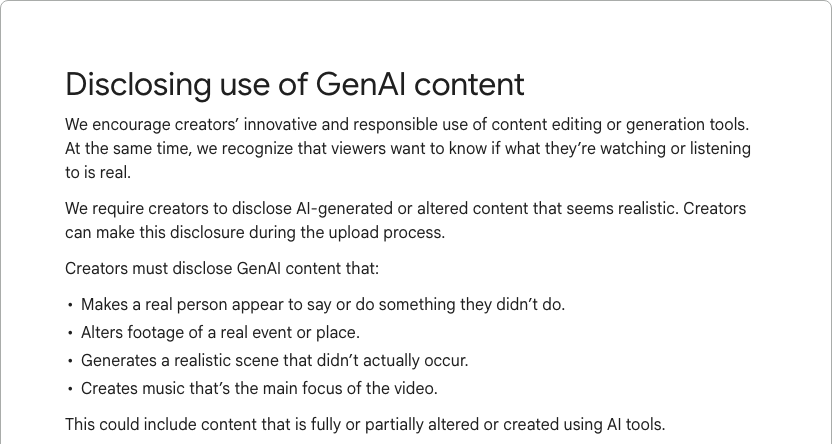
YouTube's rule for realistic AI content. Source: YouTube Help.
In the clearest backlash we saw, people were angry about a hidden AI clone, not about using one. Realism and honesty are separate goals, and you need both: name what a real camera sees, make the picture worse on purpose, and put the label on.
Read the full article on Medium
Sources
- The Uncanny Valley: The Original Essay by Masahiro Mori (IEEE Spectrum, translated by Karl F. MacDorman and Norri Kageki)
- Sora 2 Prompting Guide (OpenAI Cookbook)
- Disclosing use of GenAI content (YouTube Help)
- Partnering with our industry to advance AI transparency and literacy (TikTok Newsroom, 9 May 2024)
- Label AI content on Instagram (Instagram Help Center)
- Article 50: Transparency Obligations for Providers and Deployers of Certain AI Systems (EU AI Act)